Your workout. Ready when you are.
Bring your own routine or follow a training plan. Your next session is ready when you get to the gym.
Saved routines. Structured plans. Room to train your way.
Explore plans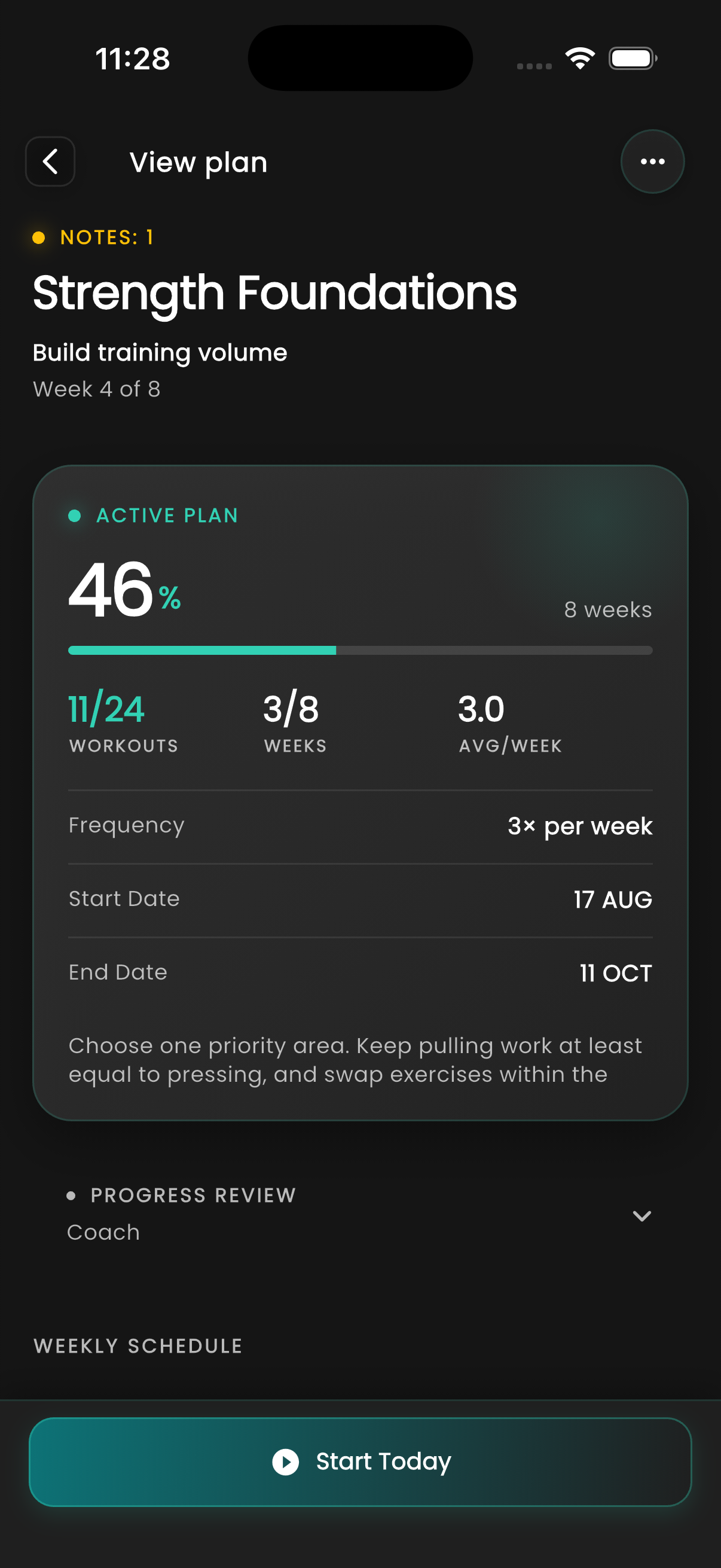
Your workout log, training plans and training insights.
Together in GymTracker.
Free to start. No account needed.
Keep your training organized, from the plan you follow to the sets you finish.
Bring your own routine or follow a training plan. Your next session is ready when you get to the gym.
Saved routines. Structured plans. Room to train your way.
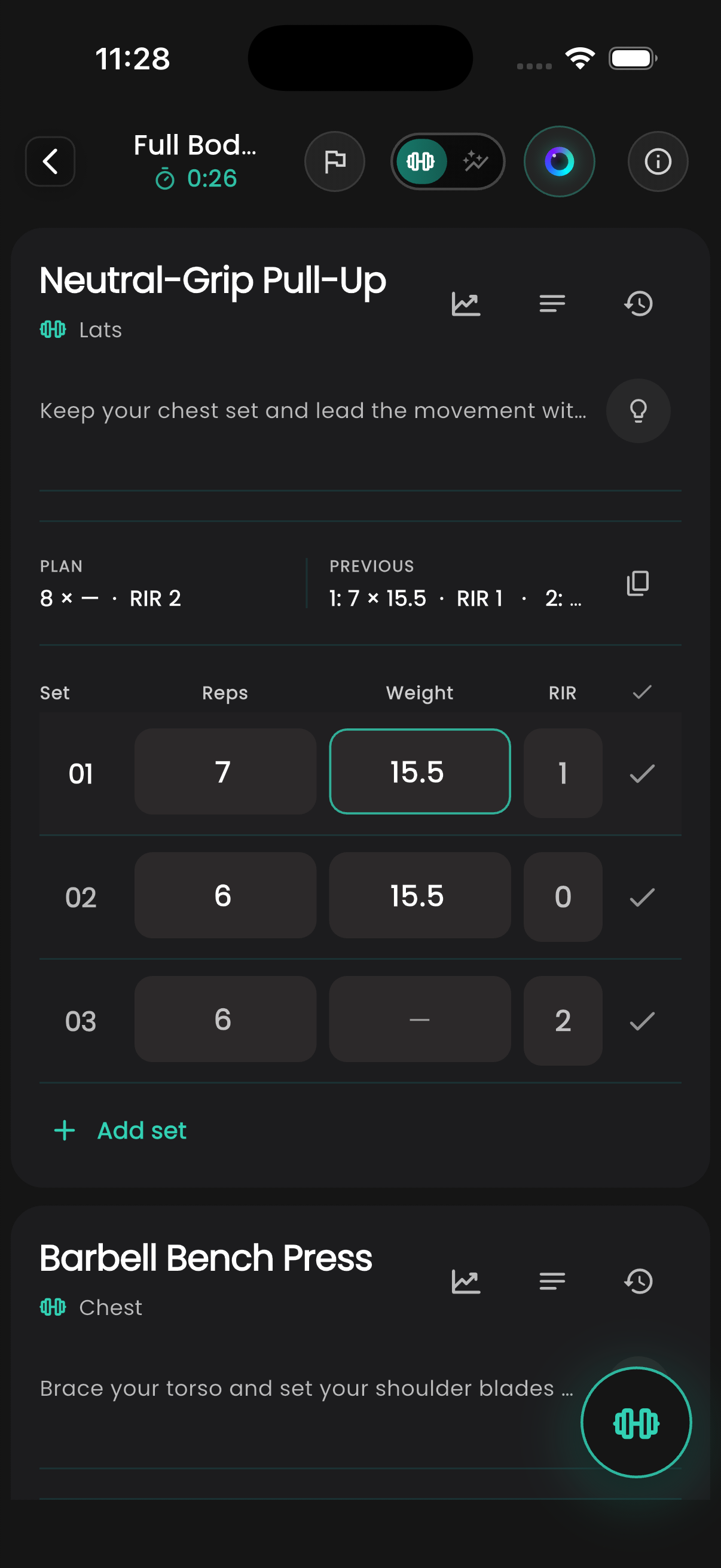
Explore plansRecord weight and reps alongside your previous results. Track warm-ups and working sets, time your rest and leave notes for next time.
Previous results, reps in reserve and notes, right beside your sets.
Explore workout trackingFind the details of a previous workout, from your first warm-up to your final set. Keep a record you can return to as your training changes.
Your workout history stays available for free.
Explore your results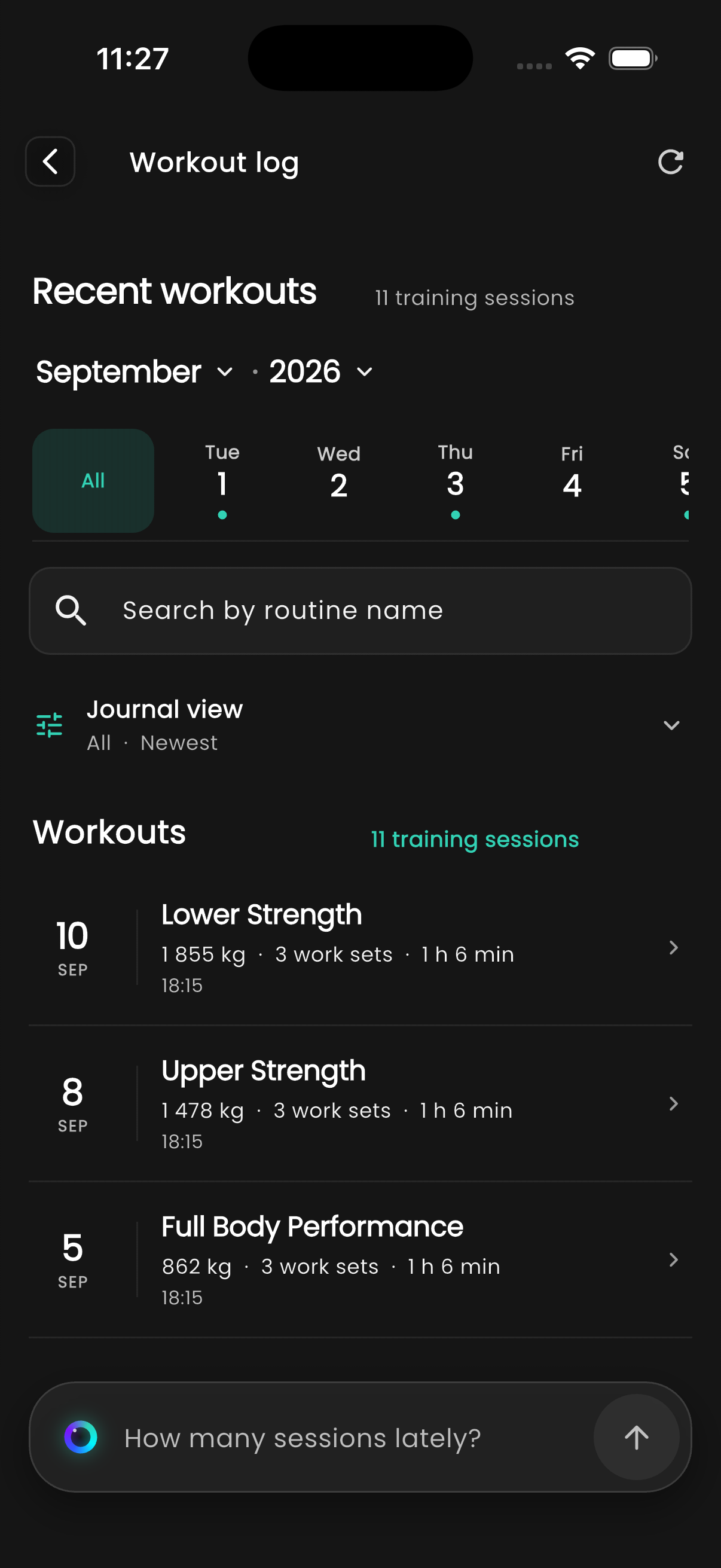
Your last results. Today’s working sets. The note you left yourself. All there when you need them.
Track working sets and warm-ups, add notes and record how much you had left in each set.
Rest timers and previous results stay close at hand, so you can keep your attention on the workout.
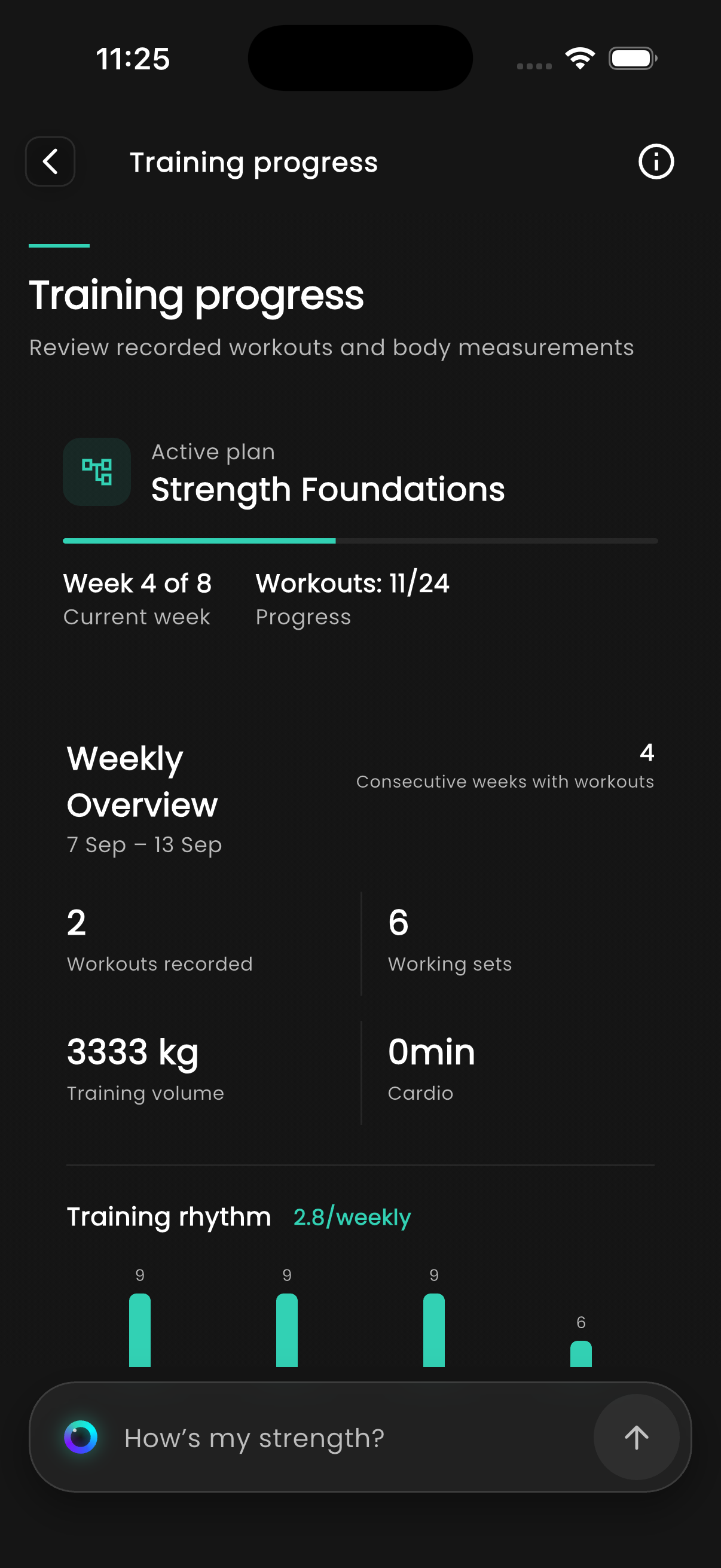
Inside the workout logFollow your lifts over weeks and months. See how your workload changes and which milestones you reach.
Explore training insightsReview the weeks behind you.
Bring that perspective to the next one.
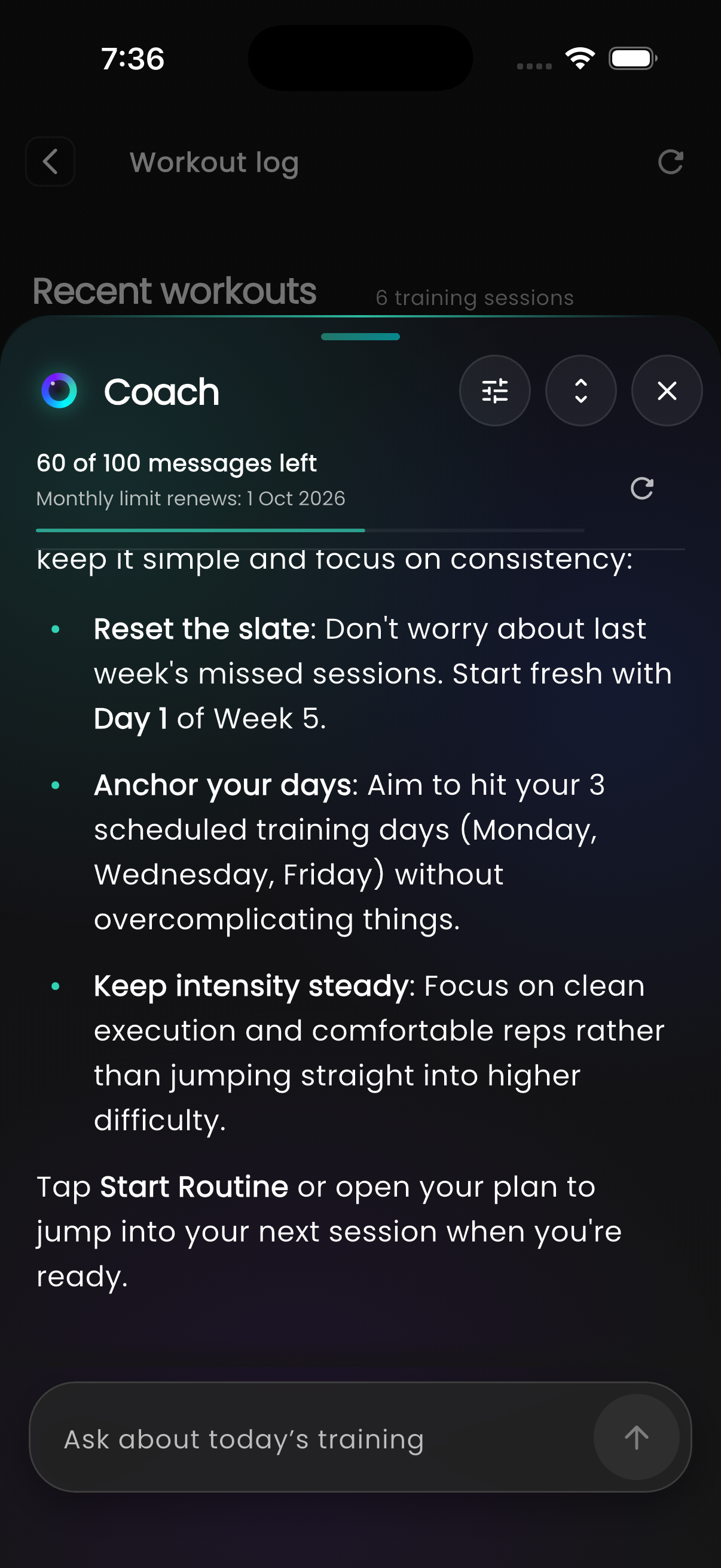
Talk through your workouts with Coach, GymTracker’s AI assistant. Get help with a routine or discuss what to focus on next.
Share your goals, equipment and available days. Review the suggested routine or plan before you save it.
Choose to share your training history and ask Coach about your recent sessions and changes in performance.
Discuss the plan you’ve completed and the goals you want to work toward next.
You choose what to share and confirm changes before saving. Coach requires an account and internet.
Log sets and manage rest with Apple Watch or Wear OS paired to your phone.
See watch featuresNo. You can log workouts, save routines and view your history without an account. You’ll need to sign in to use Coach.
Yes. Your saved routines and workout log work offline. You’ll need an internet connection for Coach, exercise videos, purchases and new downloads.
Free includes workout tracking, history, three active routines and three custom plans. Premium includes unlimited active routines and custom plans, detailed training trends and no ads.
Open Backup & Restore in Settings to export a password-protected backup. Keep the file and password safe: you’ll need both to restore your history on another phone.
GymTracker is available for iPhone on the App Store and for Android on Google Play. Each store lists compatible devices.
GymTracker for iPhone and Android.
Free to start. No account needed.
 GymTrackerStart tracking for freeGet the app